


Changing your region in Among Us is one of the quickest ways to find more active lobbies or connect with friends who live in different parts of the world. The setting is simple to adjust and often solves common problems like empty public matches or failed room code joins.
This guide walks you through exactly why you might want to switch regions how to do it step by step and a few important details that many players miss. Whether you are on mobile or PC the process is the same and takes less than a minute.
Why Change Your Region?
There are three main reasons players change their region in Among Us. The first is simply finding more people to play with. Some regions have fewer active players during certain times of day. Switching to a busier server can fill public lobbies much faster.
The second reason is connection quality. If you are experiencing lag high ping or frequent disconnects your current region may be under strain or simply far from your location. Moving to a closer or healthier server often improves the experience.
The third and most common reason is joining friends. Room codes are locked to the region where the lobby was created. If your friend is hosting in Europe and you are set to North America the code will not work until you switch to the same region. This is a frequent source of frustration that a quick region change fixes immediately.
Step by Step: Changing Region
Follow these steps to change your region in Among Us.
- Open the game and go to the main menu. Select Online. This is the screen where you host or join games.
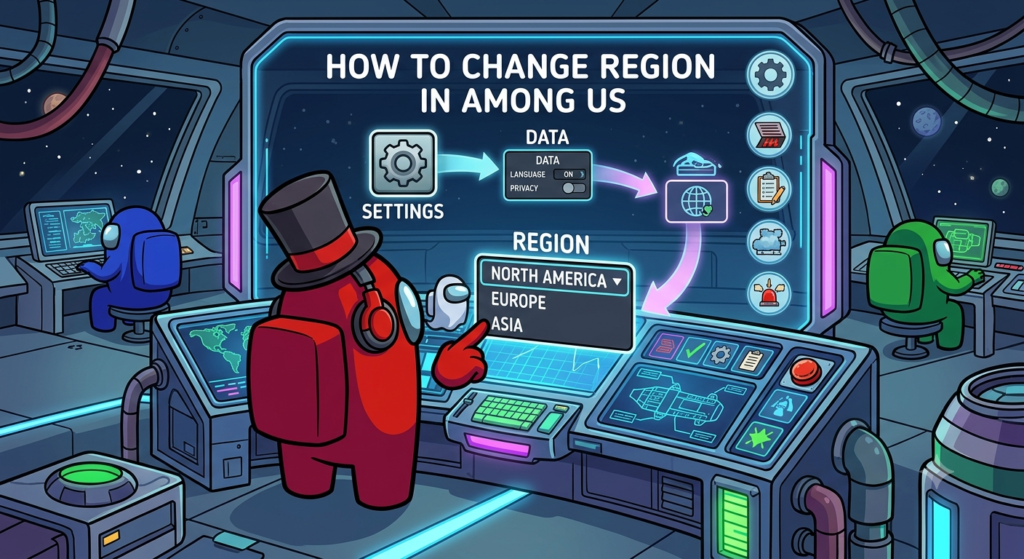
- Look for the region icon. It appears as a small planet or globe symbol usually in the top right or bottom corner of the online menu.
- Tap or click the region icon. A list of available servers will appear. Common options include North America Europe and Asia. Some platforms may show additional options depending on current server status.
- Select the region you want and confirm. The change applies right away. Any new lobbies you create or join will use the new region until you change it again.
That is all it takes. The setting stays selected even after you close the game so you only need to change it when you want a different server.
Room Codes Are Region Locked
One detail that confuses many players is that room codes only work within the same region. A six digit code created in North America will not let you join if your account is currently set to Europe or Asia.
Before trying to enter a friend’s code always ask which region they are using. Both of you need to match exactly. If the code fails the first thing to check is your current region setting. Switching to the correct one almost always solves the problem instantly.
This region lock exists to keep servers organized and reduce lag. It is not a bug. Once you understand it joining friends becomes much smoother.
Does Region Affect Anything Else?
Changing region only affects matchmaking and server connection. It has no impact on your progress cosmetics account data or gameplay mechanics. Your beans pods stars and unlocked items stay exactly the same no matter which region you select.
The process works the same way on the mobile app and the PC version. Console players follow nearly identical steps through the online menu. Because the setting is account based it carries across devices when you are logged in.
Best Practices for Choosing a Region
For the best experience pick the region that is geographically closest to you. This usually gives the lowest ping and smoothest gameplay. North America works well for players in the US and Canada. Europe is better for most of Europe and nearby areas. Asia covers East Asia and surrounding regions.
If you are playing with international friends switch to their region temporarily for the session. After the game ends switch back to your preferred local region so future public matches stay optimal.
Avoid switching regions repeatedly during peak hours if you notice temporary instability. Servers sometimes experience higher load and a quick change can help but staying consistent is usually better for long sessions.
Frequently Asked Questions
Does changing region affect my save data?
No. All your progress cosmetics and account information remain unchanged. Region only controls which server you connect to.
Can I switch region mid session?
You cannot change region while already inside a lobby or match. You must return to the online menu first then select a new region before hosting or joining again.
Why can’t I find any lobbies in my region?
Some regions have quieter periods depending on time of day. Try switching to a more active region or wait a short while and check again. Public lobbies fill faster during peak hours in each area.
Final Thoughts
Changing region is one of the fastest fixes when you cannot find a game or when a friend’s room code refuses to work. Open the online menu tap the planet icon pick the right server and you are ready to play. Most connection problems disappear once everyone is on the same region. Try it the next time lobbies feel empty or a code fails and you will see the difference immediately.