


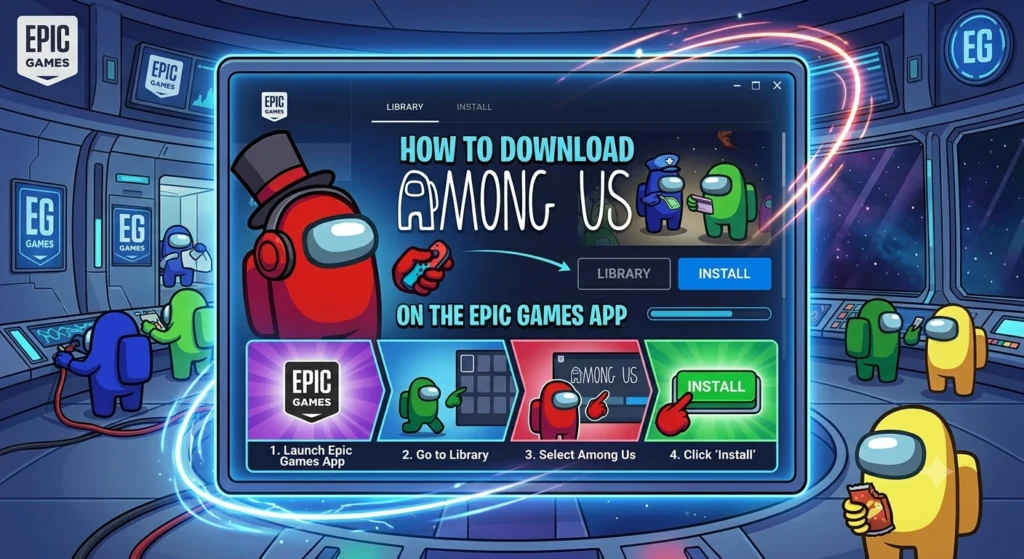
The process of downloading the Among Us game from the Epic Games Store is simple and can be completed in most cases in under 10 minutes. It is slightly different than Steam or other platforms, so this detailed guide will cover everything you need to know specifically as an Epic user.
If you’re new to the Epic launcher or you just want the fastest way to get the game up and running, this article has you covered.
Is Among Us Free on Epic Games Right Now?
At this time, Among Us is not free on the Epic Games Store. It is priced in the usual way, and is typically available for purchase for about five dollars, depending on any sales or regional pricing.
Epic had a limited time promotion in 2021, where they offered the game for free, but that promotion has since passed. There are a lot of old forum posts and videos that still refer to the giveaway, which can be confusing for new players.
Don’t get disappointed by the price, always check it in the current price in the epic launcher. The great thing is that after you purchase it you have it for life and there are no hidden fees or subscription charges.
Step-by-Step: Downloading Among Us via Epic Games
This is the full step-by-step guide to install Among Us on your computer via the Epic Games launcher.
- Go to the official Epic Games website and download the Epic Games Launcher installer. Run the file and follow the on screen instructions to install it on your PC. Once installed open the launcher and either sign in with an existing account or create a new one. This account will be your primary account for all Epic purchases and games.
- In the launcher use the search bar at the top of the screen and type Among Us. Click on the official game page from the search results. Be sure to find one that is published by Innersloth to ensure that there are no bogus listings.
- On the game page click the Buy Now or Add to Cart button. Finish the checkout process by filling in payment details (if required). The transaction is fast and safe via Epic systems.
- After purchase is confirmed go to your Library tab in the left sidebar. Locate Among Us in your list of owned games and click the blue Install button. Select the installation folder of your choice. It is compact enough to download and won’t take up much space on your hard drive.
- Once the installation finishes the button will change to Launch. Click it to play the game the first time. The launcher might perform a quick check before launching. Now you can make your character and enter your first lobby.
System Requirements & PC Tips
One of the things that is known about Among Us is that it is very light and can be played on almost any modern computer. Minimum requirements include a basic processor at least 4 GB of RAM and integrated graphics. Most of the laptops and desktops of the last few years can do it without any problems at lower settings.
If you’re having issues such as black screens after launch, update your graphics card drivers first. One of the most frequent causes of display problems is outdated drivers. There are also crashes due to conflicting overlay software for some players.
If you have issues with Discord overlay GeForce Experience or other software, you can temporarily disable it. Be sure to have a reliable internet connection, as most multiplayer options require an internet connection even in private lobbies.
Close all background programs before playing for maximum enjoyment. This frees up memory and minimizes the risk of stuttering while playing. The game is also compatible with lower end machines, so you don’t have to have an expensive gaming PC to enjoy the game.
Epic Games Version vs. Steam Version
The actual gameplay version of Steam Among Us is the same as it is in the Epic Games version. Both provide you with the full game including all map roles updates and features. The only differences are the launcher that controls the game and how some features of the platform work.
Epic has the Epic overlay for friends and achievements, and Steam has its own system. Some players may favor one launcher over the other depending on their game libraries or friend networks. The key is that crossplay is perfect on all platforms.
All friends can play together in the same lobbies without additional setup, even if they purchased the game on Epic Steam mobile or console. This is one of the best features of Among Us and eliminates any concern about where you’re going to buy it.
Common Download Issues & Fixes
While most downloads are successful, the following are solutions to the most common problems. If your anti-virus software marks the Epic installer as suspicious, don’t fret. This is typically a false positive as the file is either new or unsigned in some databases. If you are unsure, always download from the official Epic website and do a quick scan.
For corrupted or incomplete downloads use the built in repair tool. Right click on Among Us in your Epic library select Manage and choose the Verify or Repair option. This will verify all files and re-download any corrupted files without re-downloading everything from the beginning.
During peak hours, slow download speeds can occur. Consider stopping and restarting the download or downloading at off-peak hours. If the launcher itself crashes during installation try running it as administrator or updating your Windows system.
Frequently Asked Questions
Do I need a Steam account too?
No. If you buy the game on Epic you only need an Epic account. You do not have to own it on Steam as well.
Can Epic and Steam players play together?
Yes. Full crossplay support means players from different stores and platforms can join the same games without issues.
Does Epic Games have exclusive content?
No. The game content is identical across all versions. There are no Epic exclusive maps roles or cosmetics.
Can I play offline after downloading?
Limited local play is possible but most features including friend invites and public matches require an internet connection.
Downloading Among Us on the Epic Games launcher is quick and user friendly. The small purchase gives you permanent access to one of the most entertaining multiplayer experiences available.Once installed you can immediately start inviting friends and enjoying the social deduction chaos that made the game famous.
If you run into any unusual errors during setup the official Epic support site has detailed troubleshooting articles that are updated regularly. Get the game installed and have fun playing with your crew.